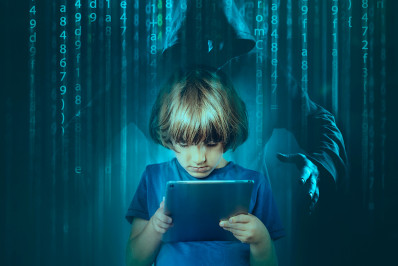
Psychological manipulation, that is what is at the core of social engineering attacks. And, due to their limited experience both online and off, children are especially vulnerable. From intimidating messages to too-good-to-be-true offers, these attacks are crafted to trick young minds. As a parent, understanding how these scams work is crucial to keeping your child safe in the digital world. In this blog, we’ll break down how social engineering works, the tactics used, and what you can do to recognize and counter these threats before they reach your child.
Let's start by meeting the enemy. What are the most common ways that your kids might encounter social engineering attacks in 2025? The following tools can all be used to either manipulate the victim to share some personal information or to download a malicious file, usually ransomware.
- Phishing – Attackers use emails, text messages or phone calls to impersonate a trustworthy institution and create a sense of urgency to lure sensitive data out of victims. For example, children can get a phishing message from a sender impersonating a legitimate social network or gaming platform falsely alerting users that their account is expired, and that they need to share their credentials to retrieve it.
- Honey trapping – Older children may become victim to a honey trapping scam involving an attacker pretending to be romantic partner working to lure money or sensitive data from the victim.
- Deepfake scams – Attackers use deepfake tools to mimic the voice or likeness of a trusted person to lure sensitive data from a victim.
- Shopping scams – Children could be enticed by prizes or deep discounts for products that are, in fact, non-existent or fake giveaways that require them to send their personal data.
What is ransomware and how does phishing fit in?
Phishing is the primary method used by cyber criminals to deliver ransomware, a type of malicious software that locks or encrypts your files and demands payment, usually in cryptocurrency, to retrieve your lost data. And social engineering is a key tool used in phishing attacks. Successfully deployed ransomware essentially holds your data hostage. These attacks often begin when someone unknowingly clicks on a malicious email attachment, link, or downloads a file from a malicious source.
Why do people click? Victims can encounter social engineering even before they click. Once they do, victims are “bumped” forward until ransomware encrypts their data. From that point forward they threatened with permanent data loss or public exposure unless they pay up. Even then, there’s no guarantee the files will be restored.
The fear used in ransomware attacks can be devastatingly effective, especially if parents’ work-related files or important personal data is encrypted. That’s why it’s so important to take precautions: being cautious with unsolicited emails and messages, backing up your data regularly, and using a reliable cybersecurity solution.
How to spot a phishing email:
Generic greetings – Phishing emails often use generic greetings like “Dear Customer” instead of your name.
Suspicious email addresses – Check the sender’s email address. Phishing emails may come from addresses that look similar to legitimate ones but have slight variations.
Grammar errors and typos – Legitimate institutions usually don’t make these kinds of mistakes in their messages.
Urgent or threatening language – Be wary of emails that create a sense of urgency or fear, such as threats to close your account if you don’t respond immediately.
Unsolicited attachments – Legitimate companies rarely send unsolicited attachments. Avoid opening any attachments you weren’t expecting.
Links that don’t match – (Don’t click…) hover over any links to see where they actually lead. Even slight inconsistencies can reveal a phishing attempt. For example, a link mimicking the ESET site “eset.com” can contain a domain name “easet.com”.
Requests for sensitive information – Legitimate companies will never ask for sensitive information like passwords or credit card numbers via email.
Received an unexpected and urgent request? Think twice before you act.
Many kids don’t yet understand the dangers of downloading unknown files or sharing personal information. And with device sharing still common in many households – especially due to hybrid work and learning – attackers can exploit this overlap. By targeting children, they can also gain a potential gateway to their parents’ data, devices, or even workplace networks.
How are children targeted via social engineering?
When targeting children, cybercriminals’ tactics usually start with something simple, like sharing a link to a playful webpage, a game invite – fake or real, and then maybe a message that sparks excitement or urgency. Just one click can set the trap in motion.
Common social engineering tactics used against kids:
Reconnaissance – Scammers might use social media, school websites, or sports teams’ websites to gather information about a child’s interests and habits, then use this information to craft convincing messages or offers.
Pretexting – A type of social engineering attack that involves a situation (pretext), created by an attacker to lure a victim into a vulnerable situation and to trick them into giving private information.
Grooming – Establishing an emotional connection with a vulnerable person pretending to be emotionally available, offering and giving gifts, and manipulation.
Impersonation – Scammers may pretend to be someone the child knows, like a friend or family member, to gain their trust.
Baiting – Offering something enticing, like free games or in-game currency, to lure children into providing personal information or downloading malware.
Threatening – Some scams and attacks (such as sextortion) involve children being told not to tell parents or police about it, claiming that the child or their family will be harmed or publicly shamed, if the victim doesn’t comply with certain demands.
Intimidation – Using aggressive language or pretending to be authority figures (like police officers) to scare children into following instructions.
Read up on how kids can be targeted by cybercriminals even during online gaming.
According to Cisco, 90% of all data breaches begin with a phishing attack. According to 2022 Annual Cybersecurity Attitudes and Behaviors Report from the National Cybersecurity Alliance is that Millennials and Gen-Z users are more likely to fall for a phishing, identity theft, romance scams, and cyberbullying than older generations. Possible explanations include spending more time online and preferring convenience over protection.
Social media meets social engineering
With entertainment just a tap away, social media has become a daily go-to for kids and teens. This shift that accelerated during the pandemic shows no sign of slowing down.
However, platforms like TikTok, Instagram, and Snapchat aren’t just social spaces anymore. They’re prime hunting grounds for cybercriminals. From fake giveaways and phishing direct messages (DMs) to impersonation scams, attackers are constantly adapting to the platforms that kids trust the most.
TikTok continues to dominate with over a billion daily users, drawing in younger audiences with its endless stream of short-form content. While the official age limit for apps like TikTok, Instagram, and Snapchat is 13, many believe that’s far too young to navigate these spaces safely without guidance.
To help protect your child, take advantage of built-in privacy settings, parental controls, and most importantly – always keep the conversation with your children going. Encouraging regular, judgment-free talks about what they’re seeing and who they’re interacting with online can be one of the most effective defenses.
What can you advise your kids to help them stay safe?
- Always ask questions like “Why am I receiving this message?”; “Do I know this person?”; “Is this something this person would say?”
- Share whether anything unusual or (potentially) harmful happens with your parents
- Don’t open unknown attachments or links in suspicious emails
- Don't scan a QR code not knowing where it might lead. Keep in mind that legitimate QR codes displayed publicly may be covered by malicious QR codes
- If you get an unexpected message requiring urgent action, think twice before submitting
- Look out for grammatical and spelling errors, as well as generic or impersonal greetings (although AI has significantly reduced the occurrence of these issues)
- Keep your social media accounts set to private
- Don't store user credentials like passwords in your browser
- Back up your data
- Use multi-factor authentication to protect your accounts
- Install reliable security software and keep operating systems updated
GET ESET HOME SECURITY ULTIMATE
Staying one step ahead
In a digital world where threats are growing more sophisticated by the day and cybercriminals don’t hesitate even to target children, awareness and strong relationships with your kids are your strongest allies.
With the right tools, habits, and conversations, you can help your child navigate the online world more safely. From recognizing the signs of a scam to setting up strong security measures, every small step counts. Keep talking, keep learning, and stay alert – because when it comes to online safety, prevention is always better than recovery.